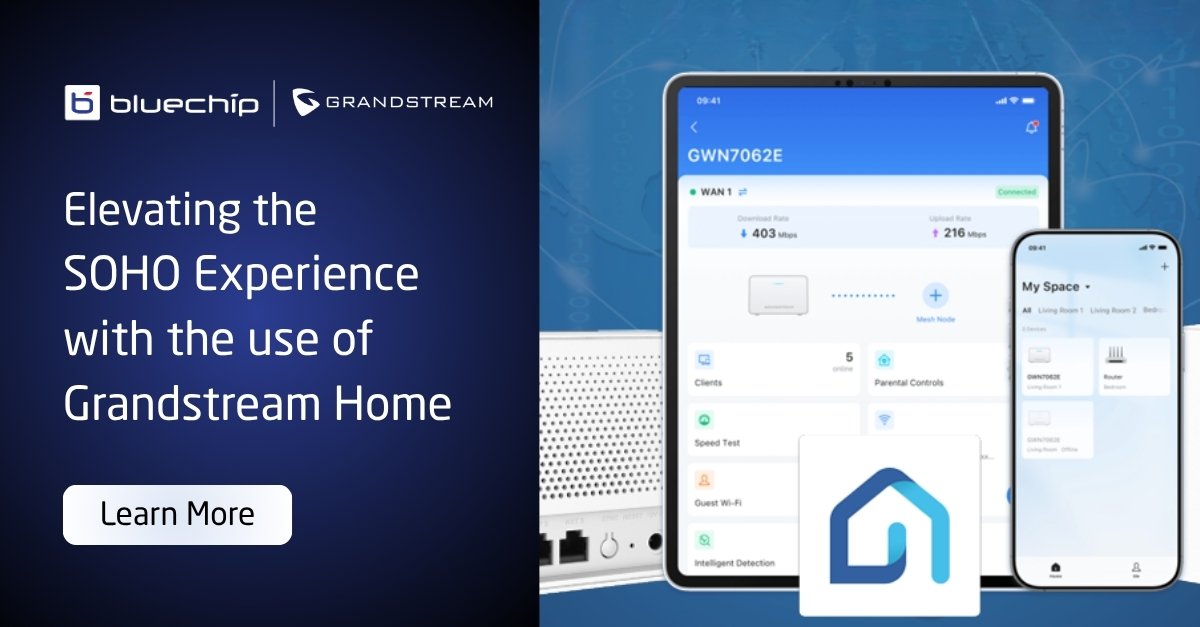
As a distributor, we are always looking for solutions that are easy to sell and even easier for your customers to manage and that is where Grandstream Home App comes in.
What Exactly is Grandstream Home?
It is a free mobile app that was designed specifically for SOHO users. While the “GDMS” platform remains the powerhouse for enterprise deployments, Grandstream Home is the agile, mobile-centric tool for managing the GWN7062E, GWN7062ET, and the new GWN7062M Wi-Fi 6 Routers.
Here is a quick look at how Grandstream Home helps your clients do more with less.
Effortless Setup and Proactive Management
The Grandstream Home app isn’t just about convenience, it’s about giving users professional-grade control without the technical complexity. For SOHO users this means a network that is easy to build and even easier to maintain.
Flexible Onboarding in Seconds
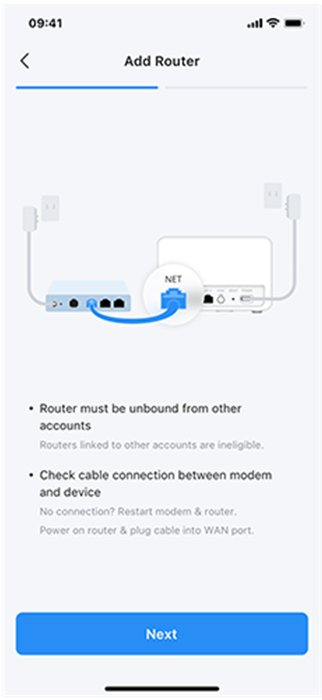
Getting the GWN7062E/ET/M routers online is seamless. Users can choose the method that fits them best:
- Scan & Go: Use a simple QR code scan for instant pairing.
- Guided Wizard: Follow a step-by-step setup for a foolproof installation.
- Manual Entry: For those who prefer traditional MAC address and password input.
Intelligent Detection: Troubleshooting Made Simple
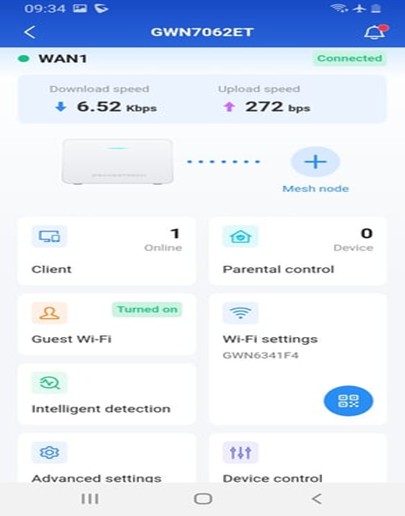
The standout feature is Intelligent Detection. This built-in diagnostic tool empowers users to identify and fix issues on their own, reducing the need for outside IT support. It provides a real-time health check across four vital areas:
1. Security Protection: Users can instantly verify that their firewalls and access rules are active. This provides peace of mind that the network remains a fortress without needing a security audit.
2. Network Connectivity: The app checks the “pulse” of the internet link. This helps users quickly identify if a connection issue is internal or if they need to call their Service Provider, saving your technical team from unnecessary troubleshooting.
3. Connection Rate: Provides full transparency on the speed of every port and sub-router. It’s the easiest way to spot a bad cable or a hidden bottleneck in a mesh setup.
4. Signal Quality: By monitoring wireless interference and channel stability, the app ensures the Wi-Fi is always optimised for peak performance, even in crowded residential areas.
Advanced Control and Network Security Management
For our partners and resellers, the true value of the Grandstream Home app lies in its ability to offer enterprise-grade security and network management through a consumer-friendly interface.
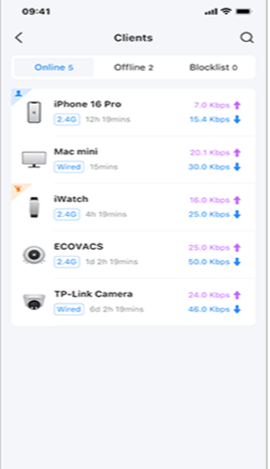
1. Simplified Client Management
• Visibility: Actively monitor online, offline, and blocked devices.
• Parental Control: For small offices, you can set “internet access rules,” usage time limits, and filter specific web categories to ensure productivity and safety.
• Security First: The ability to isolate devices ensures that guest traffic never touches sensitive business data.
2. Effortless Network Expansion
One of the most common requests from SOHO users is a separate Wi-Fi for guests or a dedicated SSID for work-from-home tasks. Grandstream Home makes this easy:
• Guest Network: Create a secure, restricted SSID guest networks in an office or commercial deployment provide visitors with their own Wi-Fi connection while protecting the primary business network.
• Seamless Mesh Setup: The built-in Mesh Wizard supports both Wired Mesh (for maximum stability) and Wireless Mesh (for flexible, cable-free coverage), making it easy to expand the network as a business grows.
3. Security Made Simple
Security is often the biggest concern for SOHO users, and Grandstream Home addresses it with a unique, robust approach:
• Local Data Storage: Unlike other systems that save your info on the internet (the cloud), Grandstream stores your settings directly on your router. This keeps your private information much safer and more private.
• Managed Firewalls: A built-in firewall keeps the infrastructure safe from malicious software, with status checks handled by the app’s Intelligent Detection tool.
• Layered Defense: By combining guest isolation, device blocklisting, and real-time security audits, the app provides genuine peace of mind without requiring an IT degree to manage.
Experience the future of simple, robust network management the Grandstream Home app is now available on the Apple App Store and Google Play.
If you’d like more information on these robust Wi-Fi 6 Routers, reach out to our team at uc@bluechipit.co.nz or call us at 09 306 0450.