
Let’s be real – meeting rooms today aren’t what they used to be. Gone are the days of clunky projectors and messy cables. These days, it’s all about seamless collaboration and Microsoft Teams Rooms are leading the way.
So why all the buzz around Android-based Teams Rooms recently? Well, a few cool things have been happening behind the scenes, and if you’re in the space of setting up or managing Teams Rooms, it’s worth paying attention to.
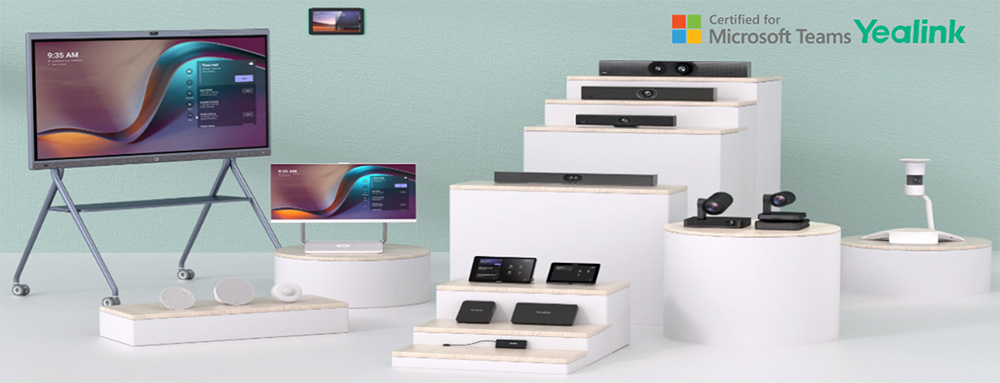
First off, the whole point of using a Microsoft Teams Room is that it’s purpose-built for Teams. This isn’t just a rebranded meeting system – it’s a complete experience that Microsoft and their OEM partners (like Yealink & Jabra) have designed together to work flawlessly with Teams.
Android Teams device – What’s added?
Now, here’s where it gets interesting.
Microsoft has been pushing for higher standards in Teams certification – especially for Android devices. Devices now go through a rigorous certification process that checks everything: audio, video, security, user interface, and even accessibility. And it doesn’t stop once they’re certified.
OEMs are actively updating their devices to newer Android versions and re-certifying them. Some even release newer models to keep things fresh.
So, if you’ve got an older device in your meeting room, now’s the time to check where it stands. Microsoft still supports certified Android devices for two years after certification ends, but let’s face it – upgrading means better features, stronger security and fewer headaches down the line.
The latest update to Microsoft Teams Rooms on Android comes packed with some great new features:
- With the Teams Rooms Pro license, you can use the Facilitator agent to take notes during ad-hoc in-room discussions, perfect for spontaneous meetings. Additionally, Intelligent Speakers are supported, allowing the system to recognise who’s speaking and display that in the transcript, enhancing meeting summaries and Copilot features.
- There’s also local PTZ camera control, so people in the room can easily adjust the camera angle if auto-framing isn’t on.
- On the security side, Microsoft has added a new policy to better protect accounts using device code flow, and external proximity joins will no longer auto-accept for added protection.
- You’ll also notice quicker join times in large meetings and better reliability when using proximity join on standalone consoles.
Check out the release notes here to see the full list of updates and learn more.
Moving Teams Android Devices to AOSP Device Management:
IMPORTANT UPDATE: Microsoft Teams Android devices will be commencing auto updates for firmware. This rollout is part of a larger move to migrate to Intune AOSP device management which started on May 15th, 2025.
Please Note: These firmware updates cannot be paused. Devices will simply take them following the phases in Teams Admin Center.
Devices will simply take them following the phases set in Teams Admin Center:
- Validation: 0-15 days
- General: 16-45 days (default)
- Final: 45-60 days
Thus, if a device has an auto update start date of May 15th, for the first 15 days, only devices in the Validation phase will be updated. Then, from May 30th, devices in the General phase will start updating. Finally, starting June 28th, devices in the Final phase will start updating.
Please refer to the link for a table listing all certified devices along with their scheduled auto update dates: Moving Teams Android Devices to AOSP Device Management.
How to get ready?
Review these essential resources for managing the change within your organisation:
- View Message center Post.
- View Migration guide to AOSP Device Management for admins.
- Step-By-Step AOSP migration video guide.
- Intune blog for device administration depreciation.
This brings improved control, enhanced security and deeper integration with Microsoft Endpoint Manager, making it easier to manage devices at scale, especially across enterprise and multi-site environments.
Why this matters?
This change means less manual effort for IT admins, more secure and consistent updates and better long-term support as Microsoft builds a more unified management experience across Teams devices.
Pro tip: If you’re not already using Intune or haven’t prepped your environment for AOSP management, now’s the time to investigate it.
Safe rollouts with progressive exposure
Now, Microsoft and its partners know that updates can sometimes go sideways. So, they use progressive exposure when releasing updates. That means updates are rolled out gradually to small groups before they go wider. It’s a safer way to test real-world performance without breaking everything for everyone.
So, if you’re managing multiple rooms, make sure you have proper update strategies in place. Teams Admin Centre and Teams Room Pro licenses make it easier than ever to monitor and manage all your devices in one place.
Set Your Rooms Up for Long-Term Success:
Whether you’re fitting out a new space or upgrading an existing one, think long-term. Choose certified Android-based Teams devices that are current, regularly updated and designed specifically for the Teams experience.
Keep the room layout in mind. Use the right mics and cameras for the space. The Teams platform is only getting better, and the more current your setup, the better the experience for everyone in the room (and beyond).
If you’re working with Yealink, Jabra or other certified OEMs, now’s a great time to review what’s new, see what’s certified and plan your next upgrade. Need help or advice on upgrading your Yealink Android devices? Reach out to our Bluechip UC team, we’re here to help!